

Thulu CLI
The thulu command installs and maintains a self-hosted install. Almost everything day to day happens in the dashboard; the CLI is for what can’t go through HTTP (creating the first workspace or the first key), what changes the install (update, clean up, uninstall), moving data between installs and the runner. thulu help lists everything. Messages come out in English, or in Spanish if your terminal is set to Spanish or you use OCTOPUS_LOCALE=es.
The thulu that install.sh downloads carries only the commands for your machine: the server lives in the octopus image, and thulu serve from the downloaded binary warns and exits. Inside the daemon’s container the binary is /app/octopus (./octopus from its working folder).
What each command needs
Section titled “What each command needs”Commands are grouped by what they touch, and that decides where you run them from.
| Touches | Commands | Needs |
|---|---|---|
The install (files in deploy/) |
init, open, update, apply, gc, uninstall |
Run it from the install’s folder or one inside it, or have the install in ~/.octopus (OCTOPUS_HOME). You can force it with -root. |
| The daemon over HTTP | status, ps, logs, stop |
The daemon answering at OCTOPUS_URL (default http://localhost:8585) and a credential: a workspace API key in OCTOPUS_API_KEY, or the install’s dev token. |
| The database directly | workspace, keys, agents |
The database deploy/.env names, seen from your machine (with the stack’s Postgres, localhost:5433). OCTOPUS_DATABASE_URL in the environment takes priority. |
| The daemon’s container | export, import |
The stack running. The command enters the container on its own (docker compose exec, or kubectl exec on Kubernetes), where the database and the attachments are; the file travels over standard input and output. |
| A person’s machine | runner |
See Runner. |
| Nothing | mirror, version, help |
Install and sign in
Section titled “Install and sign in”| Command | What it does |
|---|---|
thulu init |
The install wizard, with forms in the terminal: it asks, writes deploy/.env or the Helm values, creates the workspace and the operator key and brings up the stack. -dry-run asks everything without writing; -non-interactive takes the defaults or the answers from the previous run; -plain uses numbered plain-text questions; -stack <file> runs a stack without asking the mode. Details in Self-hosted install. |
thulu open |
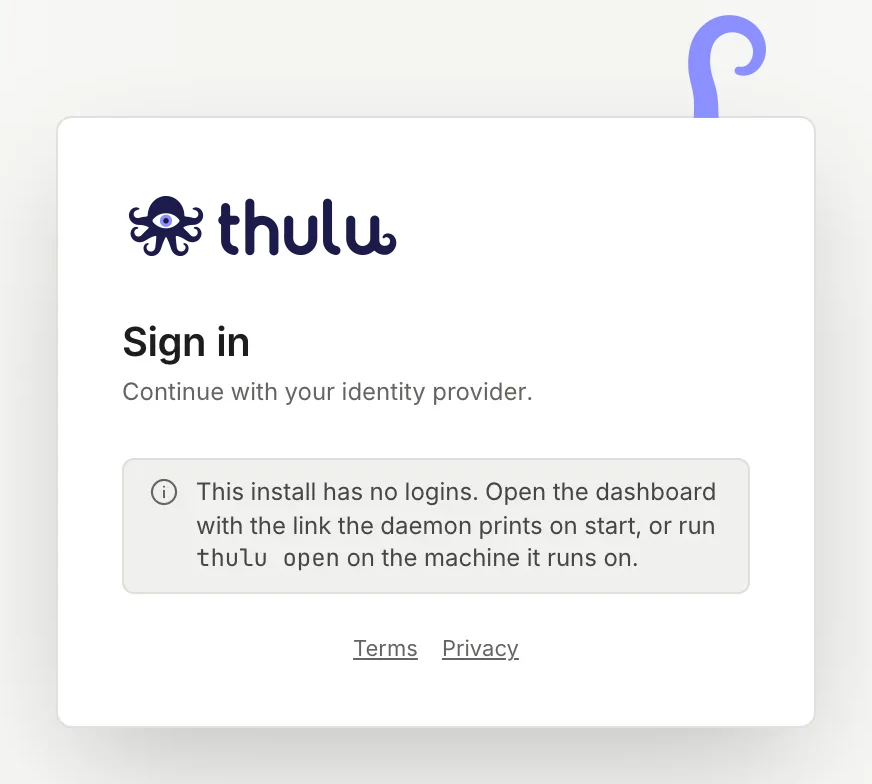
Prints the dashboard address and opens the browser. On an install without login it adds the dev token to the link, which the daemon swaps for a 30-day cookie. If there is no browser, it leaves the link for you to paste. |
thulu version |
The binary’s version (dev on a local build). |
Workspaces and API keys
Section titled “Workspaces and API keys”Every key belongs to a workspace, and on an empty install there is nothing to request one over HTTP with. These commands are the way in from the host. Everyday keys are issued in Settings → “API” (see Security and audit).
| Command | What it does |
|---|---|
thulu workspace create -name … -slug … -owner-email <email> |
Creates a workspace and its owner (the user is created if it doesn’t exist). All three flags are required. If the slug already exists, it prints its id with “(already existed)” and changes nothing. |
thulu workspace list |
Lists the id, name and slug of every workspace. thulu keys workspaces is an alias. |
thulu keys mint -permissions <list or preset> |
Issues a key and prints it once as JSON. Optional: -workspace (id or slug; with a single workspace you can omit it), -name (default “operator key”), -role (viewer, developer, admin, owner; default developer), -expires-in-days. |
Issue a key from the host
Section titled “Issue a key from the host”-
From the install’s folder, issue the key with a permission preset (
read-only,ci,agentorfull) or a comma-separated list:$ thulu keys mint -workspace acme -name "acme CI" -permissions ci -expires-in-days 90{"expires_at": "2027-01-14T15:10:16.621690168Z","id": "e1be935dfa2f97e5","key": "oct_6b77…","name": "acme CI","permissions": ["tasks:read", "tasks:write", "projects:read", "runs:read"],"prefix": "oct_6b779c0e","role": "developer","workspace_id": "5c2e172105550469"} -
Copy the value of
key: only its hash is stored. The key then appears in Settings → “API” with its prefix, and you revoke it from there.
Running agents
Section titled “Running agents”These three commands look at the agent containers (or pods) that are running right now, not at agent definitions. To see runs with their history, use the dashboard: Agent runs.
| Command | What it does |
|---|---|
thulu status (or ps) |
A table with NAME, TYPE, PROJECT, STATUS, UPTIME and ID for each running agent. With none: “No agents running.” |
thulu logs <agent> [-f] |
The agent’s last 100 log lines; -f follows them. It accepts the container’s name or id. |
thulu stop <agent> |
Deletes the agent’s container (on Kubernetes, the pod). Requires the admin role. |
Move data between installs
Section titled “Move data between installs”thulu export writes a workspace to a .tar.gz: boards, tasks with attachments, projects (with the current init script and the repository of uploaded projects), environments, dashboards and metrics, plus the global layer (agents, skills, settings and registered MCPs). thulu import reproduces it on another install with the same ids, in dependency order, and you can repeat it to complete a half-finished restore. Secrets never travel: the import lists which ones you have to load again.
Both run inside the daemon’s container of the install where you call them: the command enters on its own with docker compose exec or kubectl exec, and the file comes back to your machine.
-
On the source install, from its folder.
-workspaceaccepts the id or the slug, and with a single workspace you can omit it:$ thulu export -workspace acme -out acme.tgz -
Copy
acme.tgzto the destination machine. -
On the destination install:
$ thulu import acme.tgzBy default the import uses the bundle’s workspace, which has to exist on the destination;
-workspace <id or slug>puts it in another one. The source install’s settings are applied only with-with-settings, because they reach every workspace on the destination.-jsonprints the counts as JSON instead of the summary. -
Load by hand the secrets the output lists (git tokens, model keys, cloud credentials) and review each warning.
To move only agent definitions there are separate commands:
| Command | What it does |
|---|---|
thulu agents export [-workspace <id or slug>] |
Writes a workspace’s agents as a JSON pack to standard output. |
thulu agents import <dir|pack.json> [-workspace <id or slug>] [-templates] |
Imports agents from a folder of definitions or a pack. -templates marks them as templates to clone. |
thulu agents verify <dir> [-workspace <id or slug>] |
Checks that the database reproduces that folder exactly, before you delete it. |
thulu agents gc [-keep N] |
Trims the revision history of each agent file and frees content that is no longer used. |
With a single workspace, -workspace can be omitted. To move one agent or skill at a time, the Workshop exports and imports JSON from the dashboard.
Update
Section titled “Update”Thulu never updates itself. Settings → “Updates” shows the running version, the available ones and the exact command for each; you run the commands on the machine that administers the install. The process is detailed in Self-hosted operations.
| Command | What it does |
|---|---|
thulu update -check |
Shows the change package for the newest allowed version, or for -version X, without changing anything: images, migrations, missing variables, manual steps and the rollback plan. -o change.md (or .json) saves it to a file. |
thulu update -version X |
Installs that version (without -version, the newest allowed): it verifies the signed manifest, takes a database snapshot, pulls each image by its digest, recreates the stack and waits for the daemon to answer with the new version. If something fails after the switch, it rolls back to the previous one on its own. |
thulu apply |
Brings the install to the version deploy/.env (OCTOPUS_VERSION) or the Helm values say. Same flags as update. |
thulu update -rollback |
Goes back to the previous version. |
thulu update -to X [-restore <snapshot>] |
Goes back to a kept version. If it isn’t the current version’s rollback_to, it needs to restore the database snapshot (later data is lost), or -restore external if you restored an external database yourself. |
thulu update -kept |
Lists the kept versions and the command to go back to each. -keep X pins one so it isn’t deleted; -unkeep X releases it. |
thulu mirror <version> -to <registry> -dir <folder> |
Copies a version for an install without internet: images with their signatures, the chart and the signed files. |
Flags shared by update and apply: -yes (doesn’t ask for confirmation), -ack-manual-steps (confirms the version’s manual steps), -backup-confirmed (required with an external database: confirms you made your own backup), -registry and -chart-registry (pull from a mirror), -api-key-file (the key used to report the result to the audit log; never as a value on the command line), -no-fetch-cli.
Clean up and uninstall
Section titled “Clean up and uninstall”Both are dry-run by default: they show what they would do and end with the command to do it for real. They only touch Thulu objects; other projects’ containers, images and volumes on the host aren’t listed.
| Command | What it does |
|---|---|
thulu gc |
Lists what Thulu left behind and is no longer needed: agent, sandbox and chat containers stopped for more than -min-age (1 hour by default), old images, caches, networks and snapshots beyond the 5 newest. -apply deletes it. -unclaimed adds Thulu images that no configured version claims. Data volumes are never touched. |
thulu uninstall |
Shows what it would delete: the runner service if you installed it, the stack (docker compose down), every Thulu container and image (the rollback one included), the agents network, the personal Claude session volumes and the configuration. -yes does it. The database, the worktrees, deploy/.env, the backups and the runner’s working folder stay unless you use -purge-data. On Kubernetes it deletes nothing: it prints the helm and kubectl commands for you to run. The binary isn’t deleted; its path is shown at the end. |
Runner: agents on your machine
Section titled “Runner: agents on your machine”A runner executes the runs of the associated projects on a person’s machine, with their git, their tools, their MCPs and their claude login. It only works with Claude Code. It comes on in Docker and off in Kubernetes (OCTOPUS_RUNNERS), where it wasn’t tested. It has no screen in the dashboard: setup is through the API and the CLI.
| Command | What it does |
|---|---|
thulu runner register -url <daemon> -token <token> |
Swaps a one-time token (issued by an admin with POST /runners/tokens) for the runner’s credential and saves it in the local config. |
thulu runner add-project <project id> <folder> |
Associates a runner project with that folder’s checkout. |
thulu runner run |
Takes and executes the runs. It only makes outbound requests to the daemon, so it works against a remote daemon over HTTPS. |
thulu runner service install|uninstall|status |
The runner as a launchd agent on macOS or a user systemd unit on Linux, with its log in ~/.octopus/runner.log. |
On runner projects there is no task chat, no live messages and no argus-sandbox, and all of a task’s projects have to be on the same runner. thulu init offers to set it up on a Docker install.
The daemon
Section titled “The daemon”thulu serve starts the daemon, and only the octopus image carries it. On a compose or Helm install the container starts it; by hand it is only needed for development.
| Flag | Default | What it is |
|---|---|---|
-addr |
:8585 |
Listen address. |
-data |
<agents-dir>/octopus/data |
Data directory: project worktrees, logs and attachments. |
-agents-dir |
The binary’s folder if it has agents/, otherwise the one above |
Base directory. Agent definitions live in Postgres, not here. |
It needs OCTOPUS_DATABASE_URL. There is no embedded database.
CLI environment variables
Section titled “CLI environment variables”| Variable | What it is for |
|---|---|
OCTOPUS_URL |
The daemon’s address for status, logs, stop, open and runner register. Default http://localhost:8585. |
OCTOPUS_API_KEY |
A workspace API key to talk to the daemon. Without it, the CLI uses the dev token of an install without login. |
OCTOPUS_DATABASE_URL |
Postgres DSN for workspace, keys and agents. Without it, the CLI uses the database deploy/.env names. |
OCTOPUS_HOME |
Where an install made from the binary lives. Default ~/.octopus. |
OCTOPUS_LOCALE |
Language of the messages (es or en). If it isn’t set, the terminal’s is used. |