
Agent runs
A run is one session of an agent on a task. It starts on its own when the task enters a stage that has an agent assigned, either because someone moved it there or because the previous stage advanced by itself. The agent works in its own container on the task’s branch, with a turn limit and a time limit. When it finishes it leaves a report, a comment and, if the stage asks for it, a push to the branch. If the agent has an auditor in that stage, the auditor runs next and decides whether the task continues, goes back or stops.
Anyone who can see the task can see its runs. To move tasks, talk to a run, stop it or relaunch it you need the Developer role or higher.
Three things have to be in place before the first run:
- An agent assigned to that stage on the task. You see it in the “Agent” property of the right-hand panel; agents and their stages are set up in Agents.
- An LLM credential for the agent’s engine, in Credentials and engines. Without it the run ends as “Did not start”, with a link to AI engines.
- A project linked to the task, if the agent works on a repo. See Projects.
Follow a run
Section titled “Follow a run”-
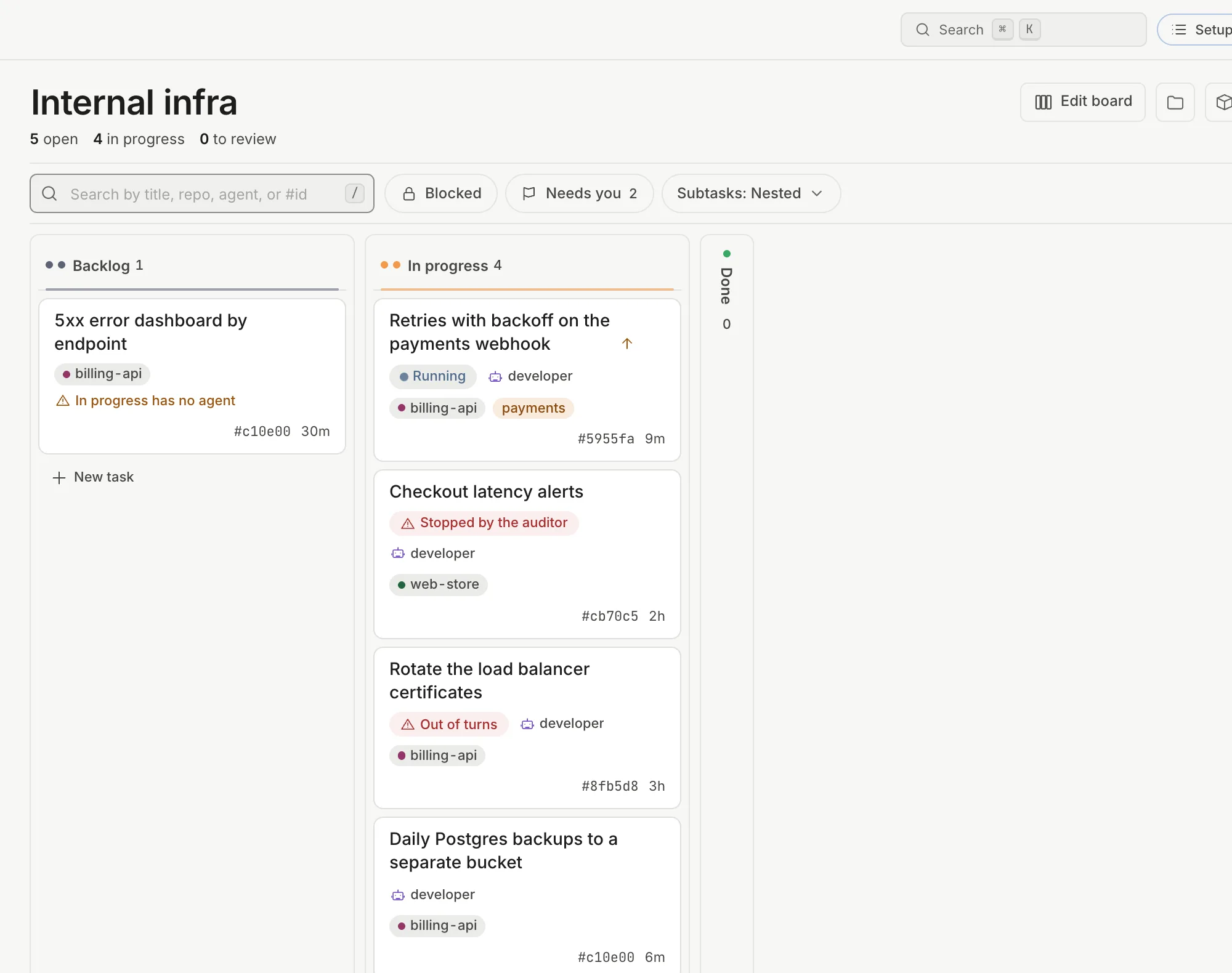
Move the task to a stage with an agent: drag it on the board, or open it and click “Move to …” in the header (or the stage name, to pick another one). If the agent needs a repo and the task has no project, the move is rejected with “Agent “developer” needs a linked repo. Link a project, pick another agent…“.
-
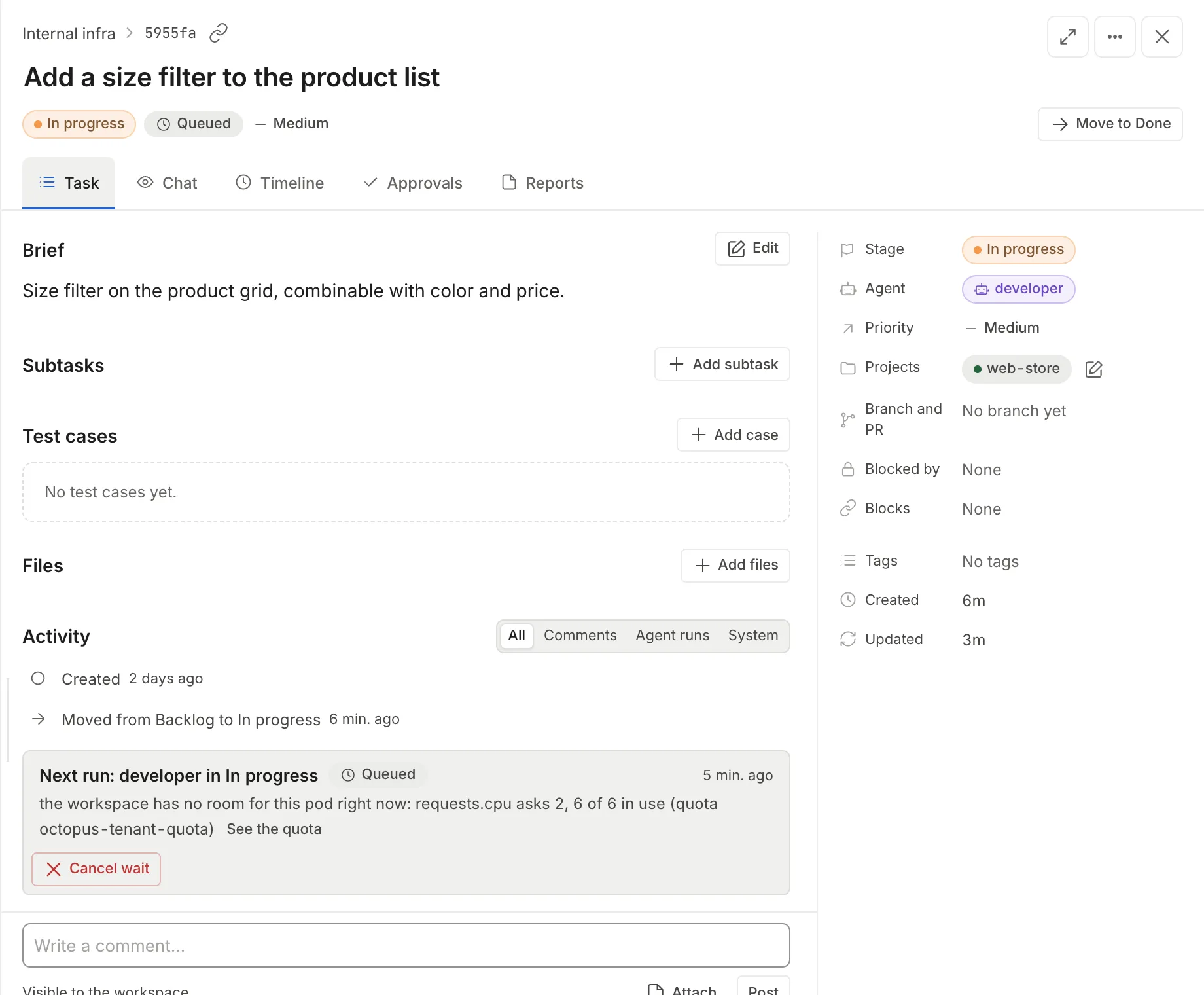
Open the task. The header shows the status next to the stage (“Running”, or “Queued” if the workspace has no room to start it; in that case the “Next run” card says what is missing and offers “Cancel wait”). In the “Task” tab, “Activity” section, the card “Run 1: developer in Development” appears with the time it has been running and the agent’s last action.
-
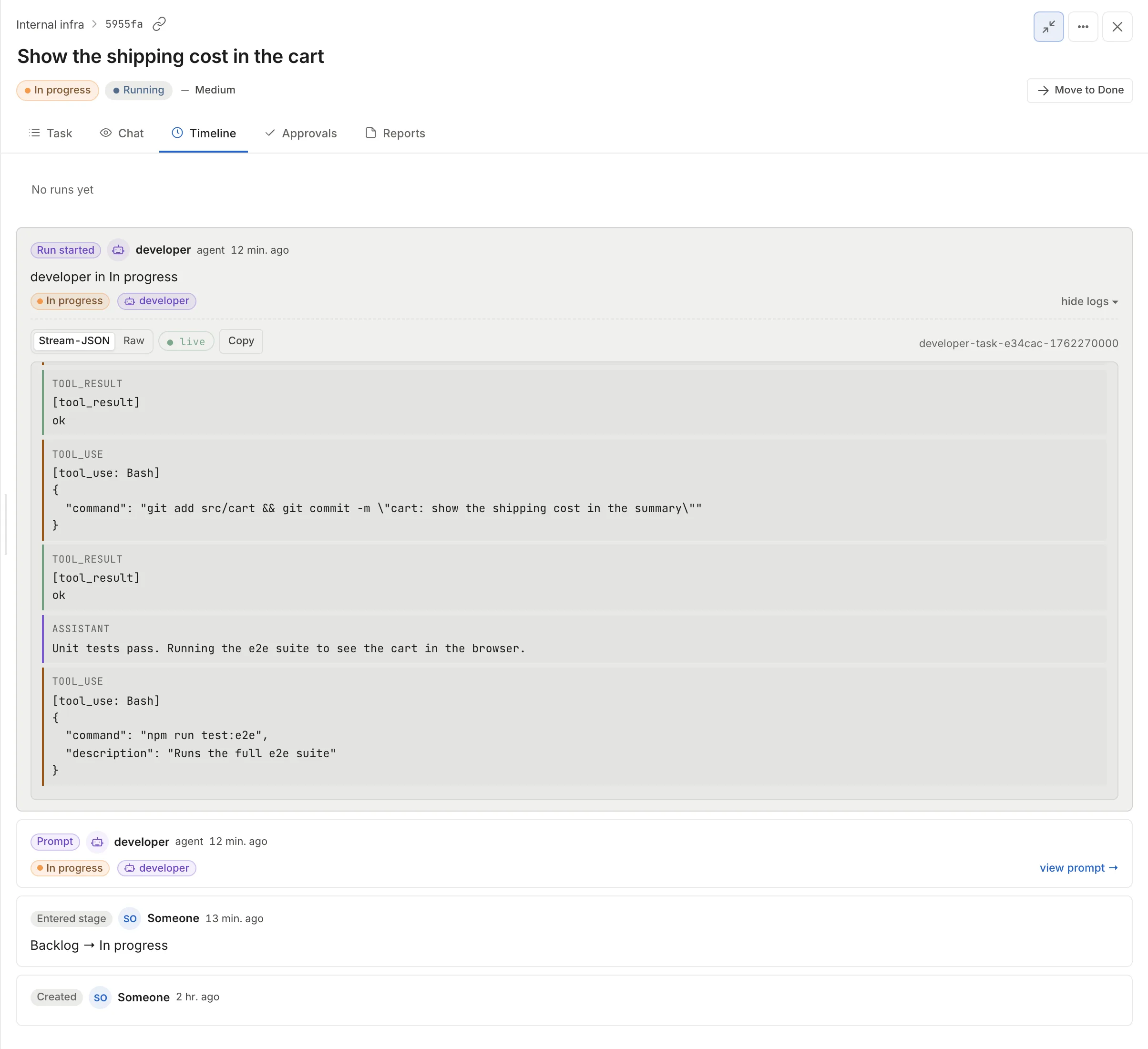
Click “View log” for the container output or “Open chat” for the agent’s conversation, with every tool it calls.
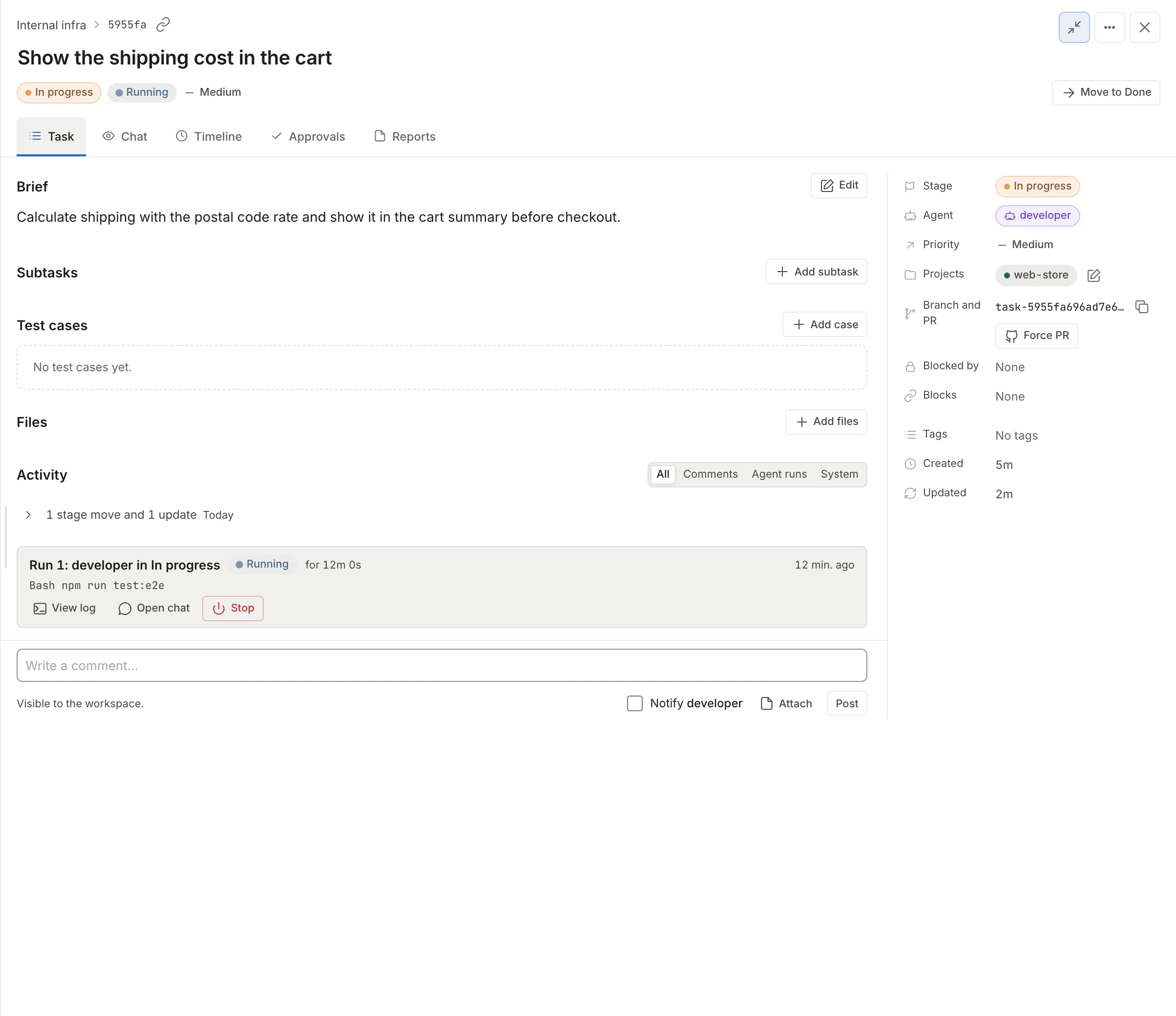
The card for the newest run stays in view under “All”. Earlier ones fold into a single line such as “1 stage change, 1 run and 1 update”; with the “Agent runs” filter you see them all as cards, including the auditor’s.
Talk to a run in progress
Section titled “Talk to a run in progress”-
In the task, open the “Chat” tab (or “Open chat” on the card). The live run carries the “live” mark.
-
Type in the “Write to the agent…” box. Enter sends, Shift+Enter adds a line break.
-
If you want the agent to read it now, check “interrupt”: the agent cuts off what it is doing. Without it, the agent reads the message when the current turn ends.
-
Click “Send”. Below the box you see what happened to the message.
What happens to the message depends on where the agent runs:
| Situation | What happens to the message |
|---|---|
| Live run that can be reached (Docker) | It enters the agent’s conversation when the turn ends, or right away with “interrupt” |
| Live run that does not take messages (always on Kubernetes) | It waits, with the notice “The current run does not take messages; it goes in as soon as the run ends (1 waiting).”. When the run ends, the agent resumes the session with your message and the task stays in the stage. Up to 5 per task fit, and they are lost if the daemon restarts (the text stays in the chat) |
| No run, but a saved session | It resumes the previous session as a continuation |
| No session to resume | The message stays in the chat with the option “Move it to comments” |
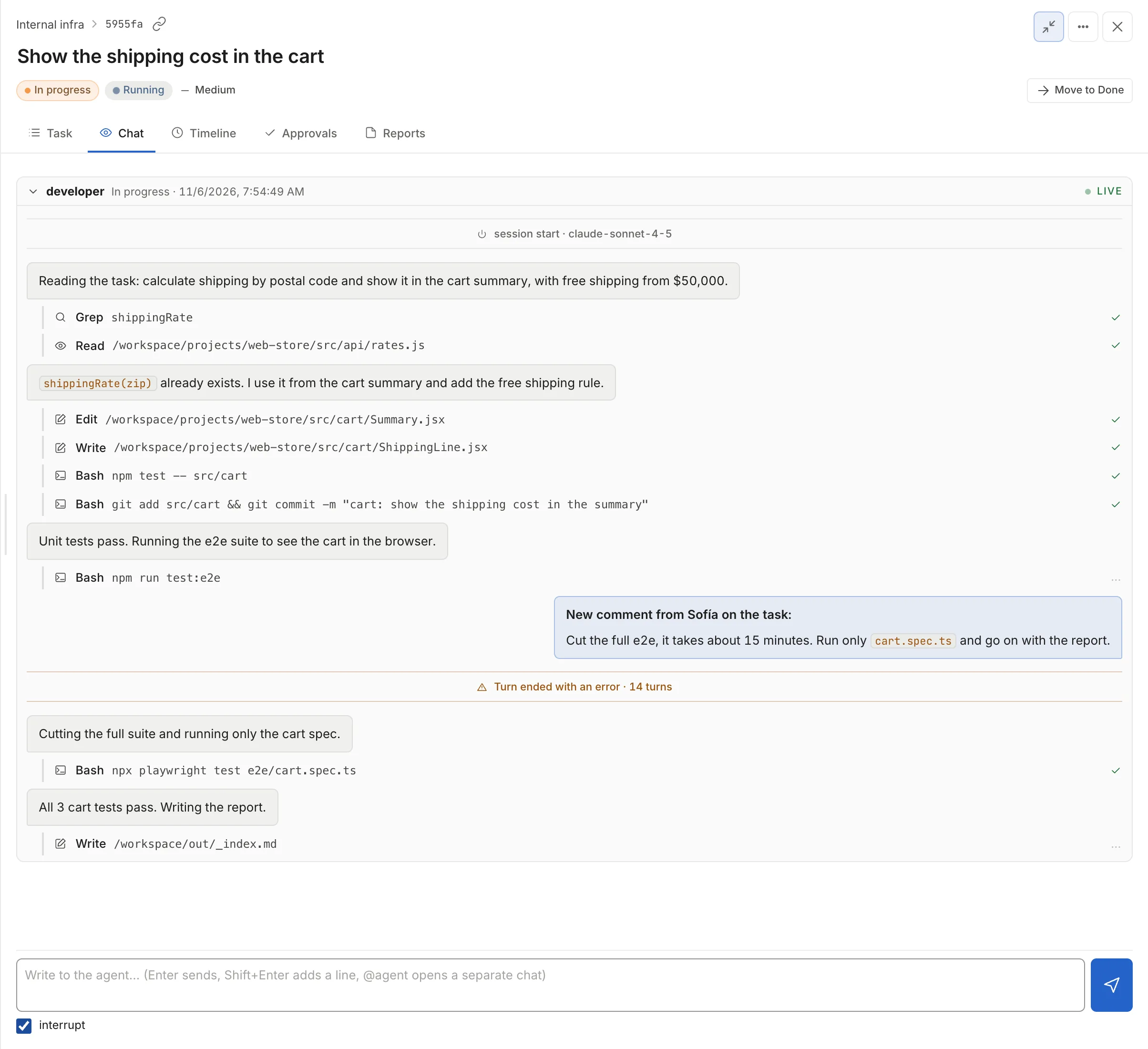
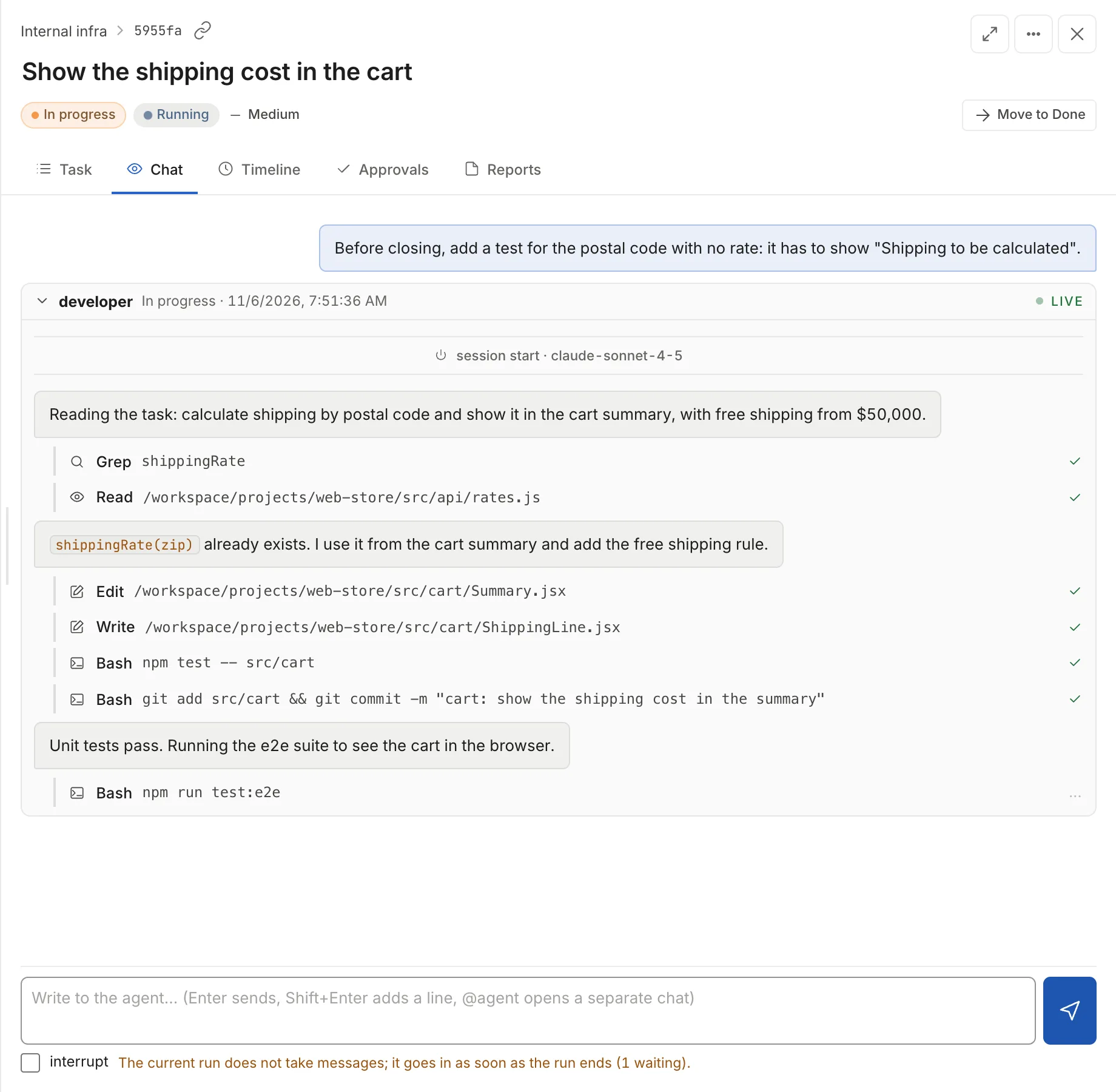
On Docker you can also notify the agent from a comment: with the run live, the comment box in “Activity” shows the checkbox “Notify developer” and the comment reaches the agent when the turn ends. If the run does not take messages, the checkbox appears off with “developer can’t be notified”, as in the screenshot above.
Stop a run
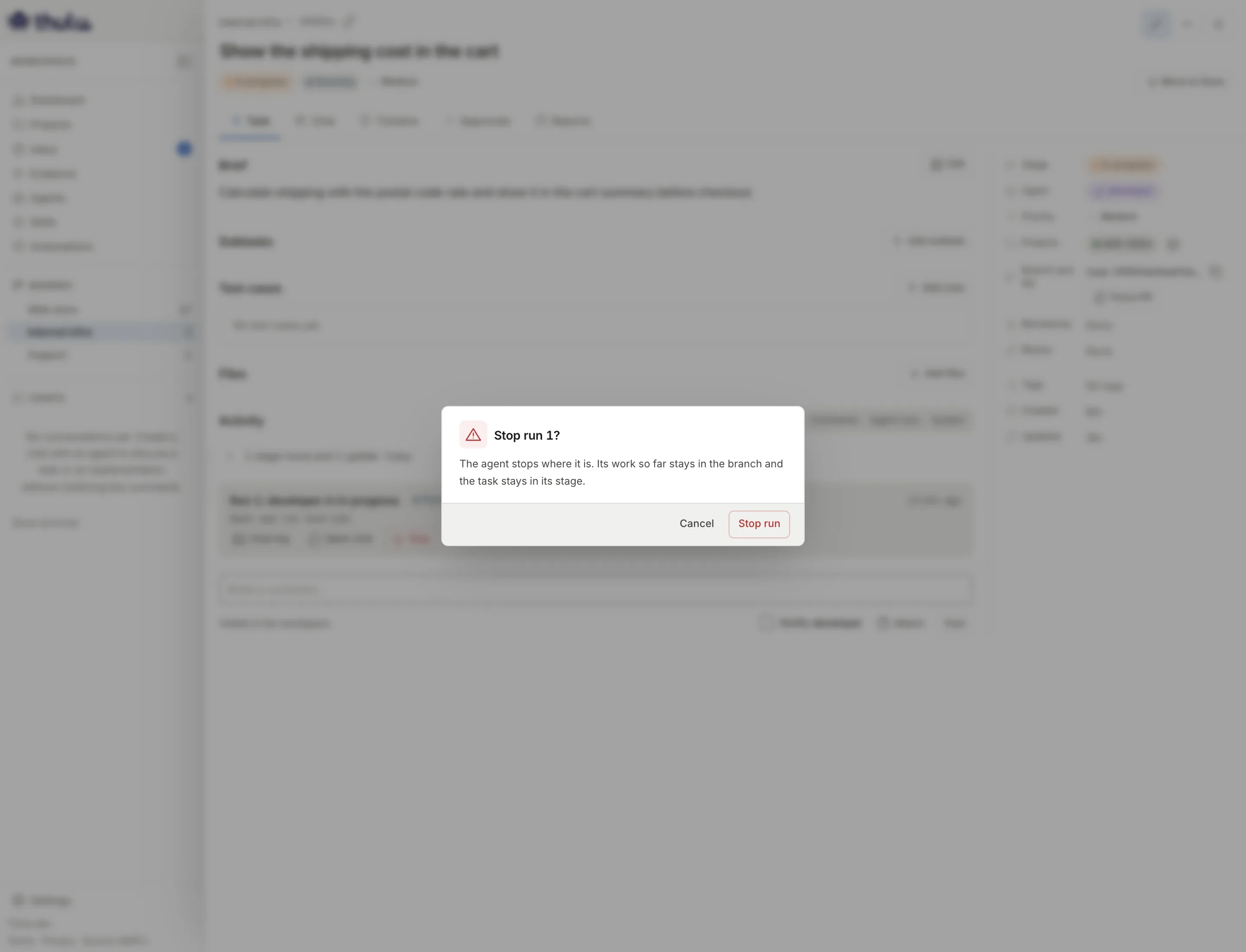
Section titled “Stop a run”On the card of the run that is running, click “Stop” and confirm with “Stop run”. As the dialog says, the agent stops where it is, what it did so far stays on the branch and the task stays in its stage. The auditor does not run. The run card ends as “Stopped by you” (or the name of whoever stopped it) and the task as “Stopped”.
To run the stage again, take the task out of the stage and put it back in.
Give it more turns
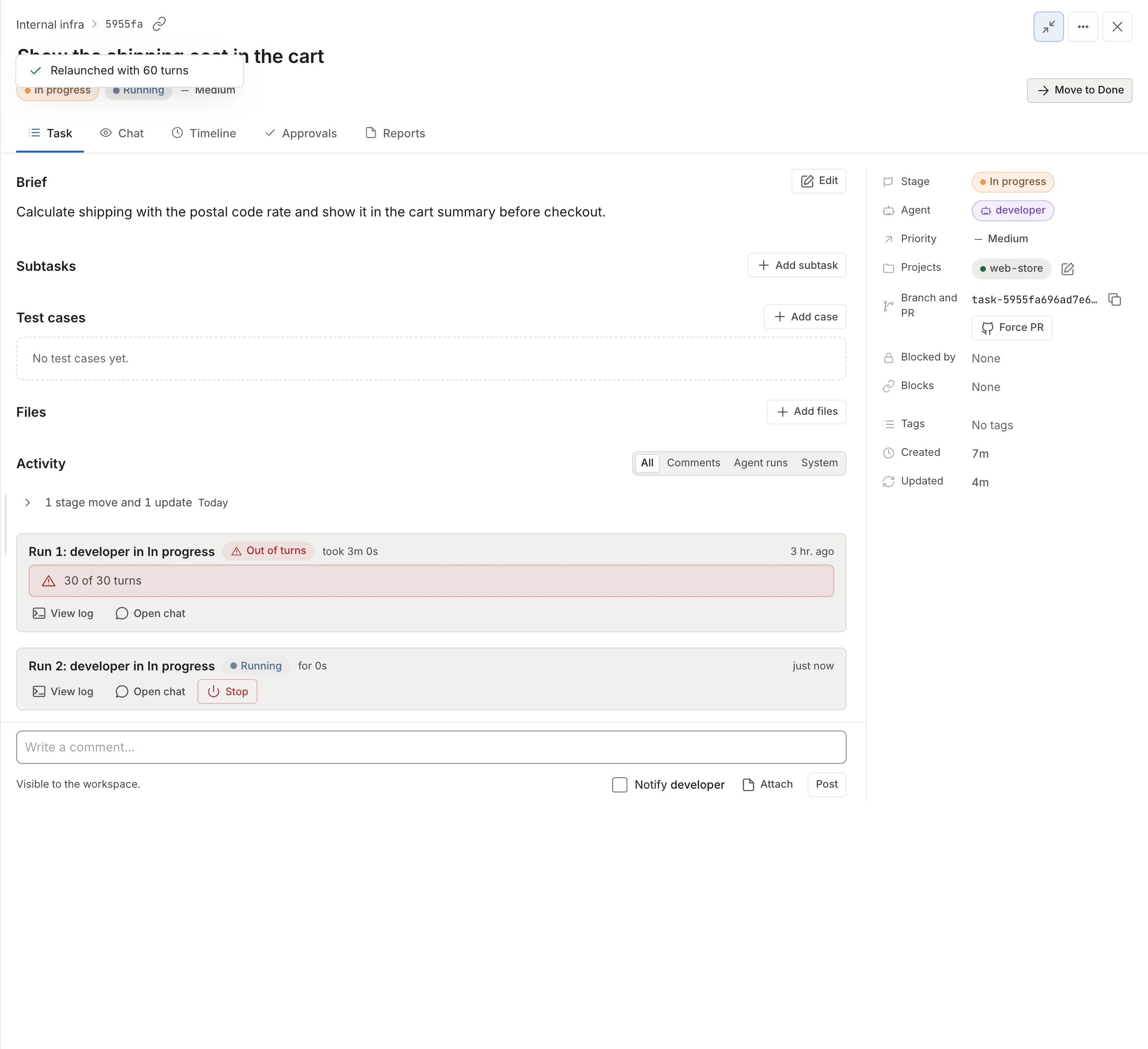
Section titled “Give it more turns”Each agent has a maximum number of turns per stage (20 if nobody changed it), set in Agents. The maximum time of a run belongs to the workspace: an admin changes it in Settings → “AI engines” → “Run time limit”; without a value of its own, the installation’s value applies. If the run uses all its turns, the task ends as “Out of turns”, the run card says “30 of 30 turns” and the header offers the “More turns” button.
“More turns” relaunches the stage with double the turns of the last run (an agent with 30 turns per stage relaunches with 60, and the next time with 120), cancels the questions the agent had open and leaves a comment with the request. The toast confirms “Relaunched with 60 turns”. If the run cannot start, the toast says “Could not relaunch: …” with the cause. “More turns” is also in the “More actions” menu (the three dots at the top right, shortcut T) and in the board card’s menu, only while the task is out of turns.
For other causes, the main button in the header changes:
| Status | Button |
|---|---|
| “Out of turns” | “More turns” |
| “Failed” or “Did not start” | “Retry” |
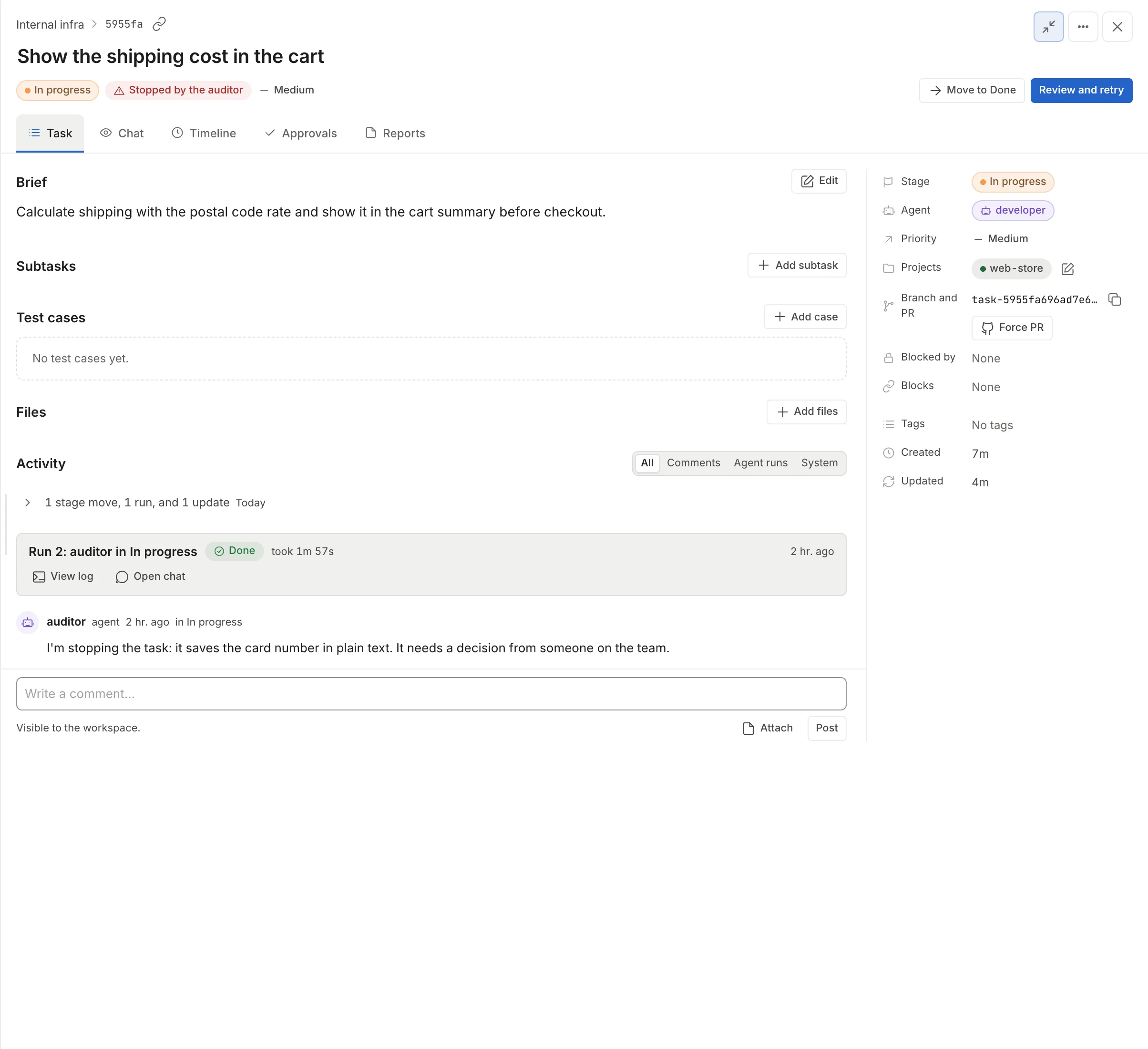
| “Stopped by the auditor” | “Review and retry”: opens “Reports” so you can read the feedback and asks for confirmation |
| “Could not resume” | “Relaunch stage” |
| “Credential expired” | “Open Credentials” |
| “No agent” | “Pick an agent” |
The auditor
Section titled “The auditor”The auditor is a second pass that reviews the agent’s work as soon as it ends. It runs in its own container, with the same engine as the agent, the repo read-only and no MCP, and leaves a verdict. You turn it on per agent and per stage in Agents, “Auditor per stage” section, where you also choose its turns (5 if you set nothing), the model and extra skills; the skills _base and quality-review always load when they exist. Its tokens add to the task’s.
| Verdict | What happens to the task | Where you see it |
|---|---|---|
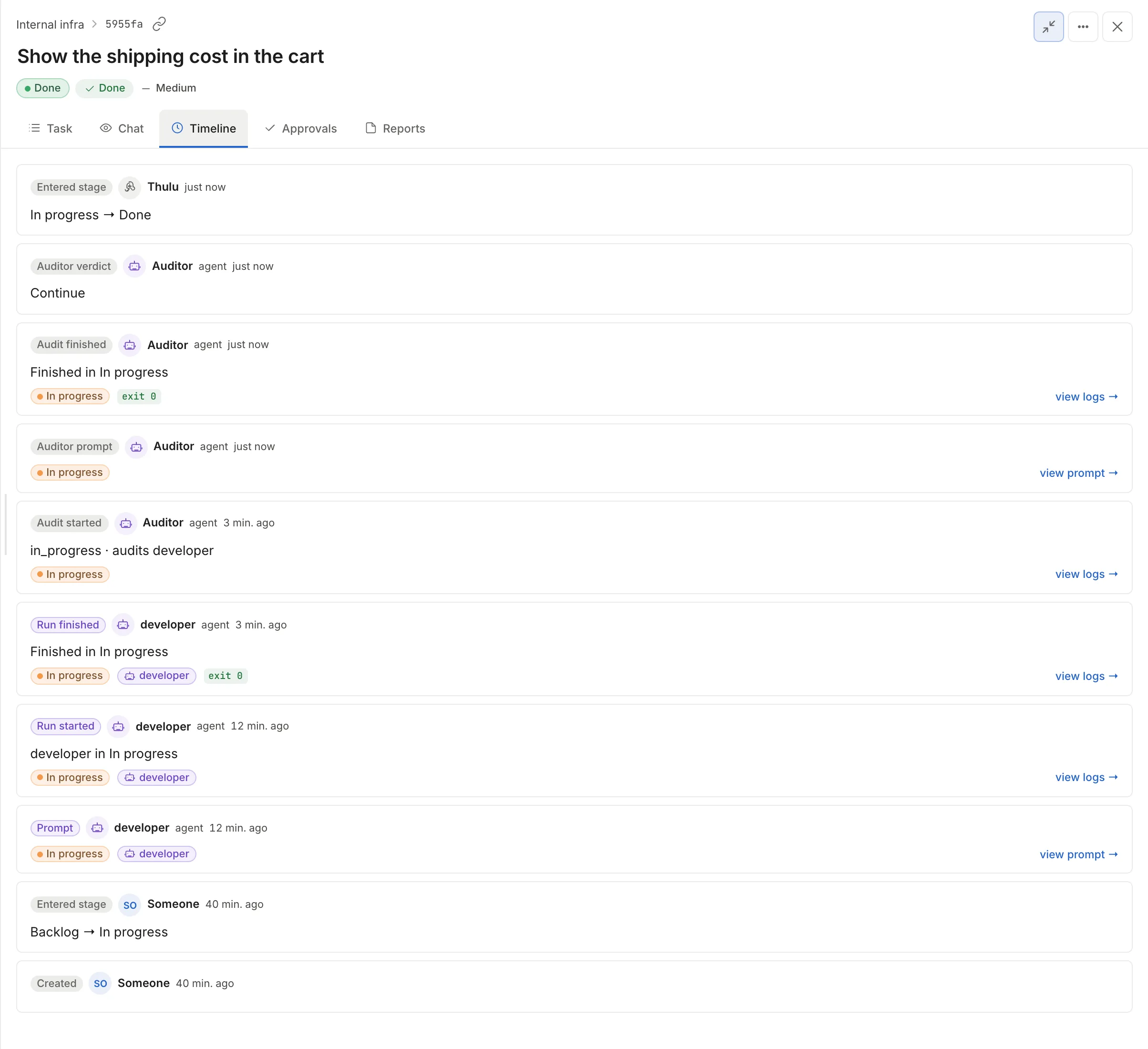
| continue | It goes on: if the stage advances on its own, it moves to the next one; if the stage asks for approvals, it stays at “Needs approval” | “Auditor verdict” event in “Timeline” |
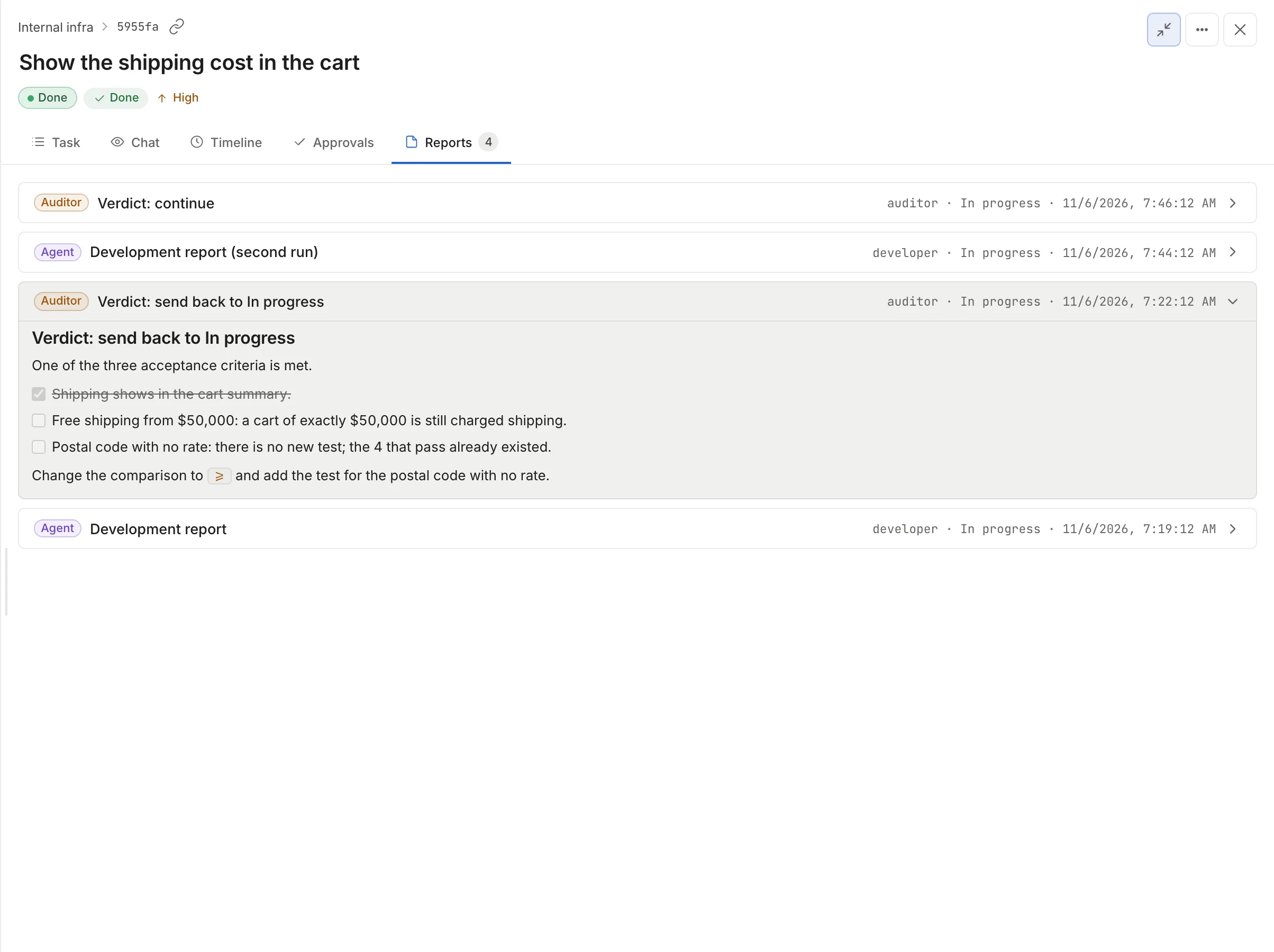
| kick_back | It goes back to the stage the auditor chose and another run starts there | “Auditor feedback” report in “Reports” (“Verdict: send back to In progress”), the stage change in “Timeline” and the notice in “Activity” |
| block | It stays in the stage as “Stopped by the auditor” | Header, board, the “Needs you” filter and the auditor’s comment in “Activity” |
| needs_more_turns | It relaunches the stage on its own until there are 3 runs in that stage; after that it stays “Out of turns” | “Auditor verdict” event in “Timeline” |
The auditor does not run if you stopped the run, or after a continuation by chat.
See what the agent did
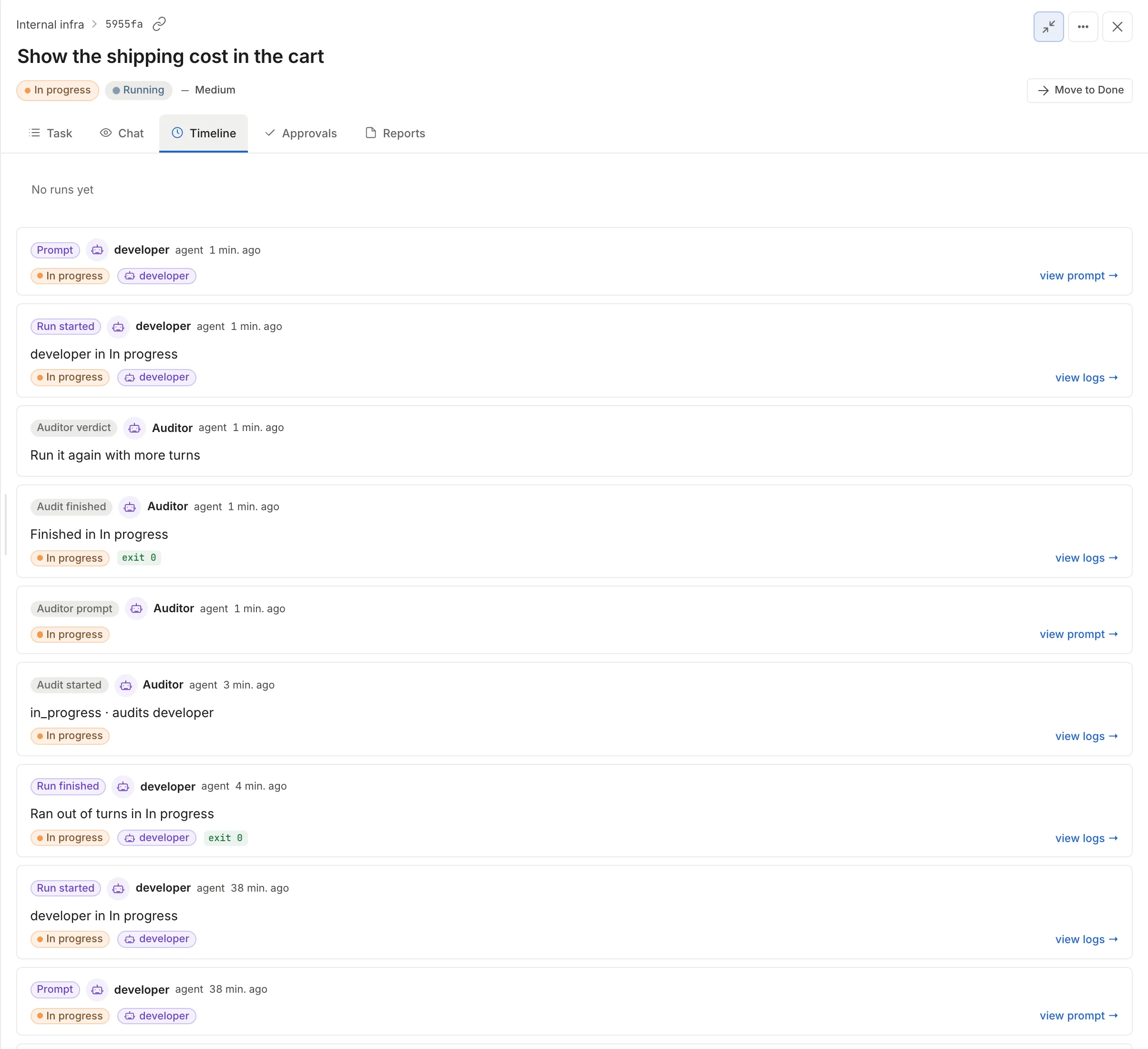
Section titled “See what the agent did”The “Timeline” tab lists every event of the task with its date, newest first: “Prompt” (with “view prompt →” to read the exact instructions the agent received), “Run finished” with output, artifacts and flags, “Audit started”, “Auditor prompt”, “Audit finished”, “Auditor verdict” and every stage change. “view logs →” opens the output of that run, in “Raw” or “Stream-JSON” mode. At the top, the “Context · last turn” bar shows how much of the model’s window the last turn used.
Each run leaves a report with what the agent says it did, and each audit leaves its “Auditor feedback” with the verdict as the title. A label tells you whether the agent or the auditor wrote it.
In the “Branch and PR” property you find the task’s branch (task- followed by the task id) with what the agent committed. How the PR gets opened is explained in Git and GitHub.
What it costs
Section titled “What it costs”The “Runs” property of the task says how many there were, how many tokens they used and what they cost (“2 runs, 550.4k tokens, US$ 0.34”), and clicking it opens “Timeline”. There, the task’s usage shows “Where the cost went” (startup, reasoning, tools, subagents, compaction) and each run opens its per-call breakdown; that breakdown comes only from Claude Code runs. To compare tasks, Settings > “Usage” has the “Top tasks by cost” table, with the sessions, turns, tokens, cost and duration of each one.
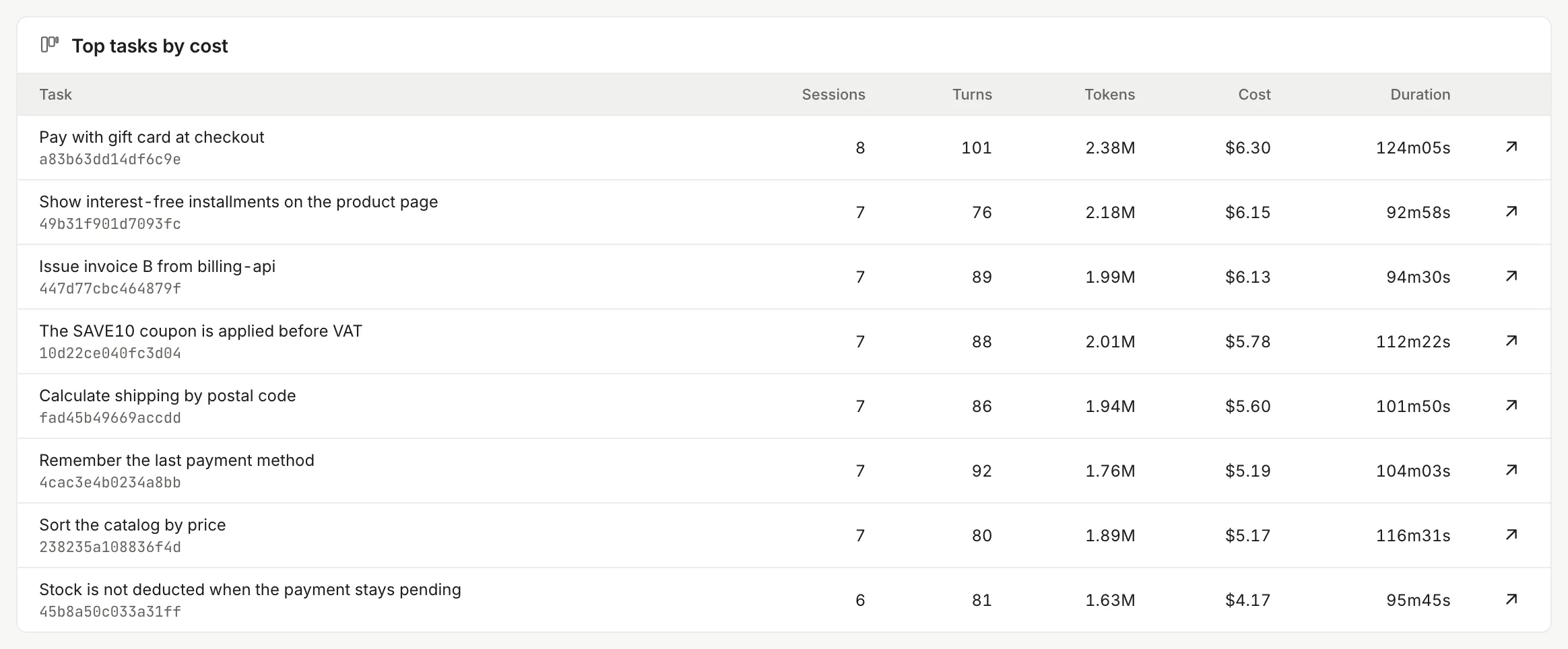
More detail in Usage and costs.
Run statuses
Section titled “Run statuses”| In the header | What it means | What to do |
|---|---|---|
| (nothing) | The last run ended well and the task did not advance on its own, or it never ran | Move it or review the result |
| “Running” | The agent or the auditor is working | Watch, talk to it or “Stop” |
| “Queued” | There is no room in the workspace to start. It starts on its own when another run, chat or sandbox ends; if it waits more than 2 hours (configurable) it is abandoned and ends as “Did not start” | Wait, or “Cancel wait” on the “Next run” card |
| “Needs an answer” | The agent asked a question that blocks it | “Answer” in the header, or in Inbox |
| “Needs approval” | The stage asks for approvals before advancing | “Review” in the header, or the “Approvals” tab |
| “Out of turns” | The run used its whole turn budget, or the auditor asked for more turns 3 times | “More turns” |
| “Failed” | The run ended with an error | Read the log; “Retry” |
| “Did not start” | The launch failed before there was a container: the LLM credential is missing, the branch could not be prepared or the wait in the queue was abandoned. The card says why | Follow the link on the card (“Open AI engines”, “See the quota”) and “Retry” |
| “Stopped” | Someone clicked “Stop” | Take the task out of the stage and put it back in |
| “Stopped by the auditor” | The auditor gave block | Read the feedback and “Review and retry”, move the task or fix it by hand |
| “Credential expired” | A tool credential (MCP) the run needs is expired or revoked | “Open Credentials” (see below) |
| “No agent” | The stage has no agent for this task | “Pick an agent” |
| “Could not resume” | You answered a question or asked for changes and the agent could not start again | “Relaunch stage” |
| “Done” | The task is in the board’s final stage | Nothing |